Document360 Review: Features, Use Cases & Why It Stands Out
Teams building documentation have long been forced to choose between tools that do one thing well or generic platforms that do many things poorly. Wikis blur the line between notes and published content. Help desk tools treat the knowledge base as an afterthought. Shared drives have no versioning, no analytics, and no reader experience worth mentioning.
Document360 was built specifically for knowledge management. It holds a 4.7/5 rating across G2, Software Advice, and GetApp from over 3,000 verified reviews. It serves more than 100,000 active users every month and counts VMware, NHS, Ticketmaster, and Comcast among its customers.
This review is for support managers, technical writers, product managers, and IT leads evaluating Document360 for the first time. We cover what the platform does, its core features, what's new, who it's built for, and what real users have to say.
What Is Document360?
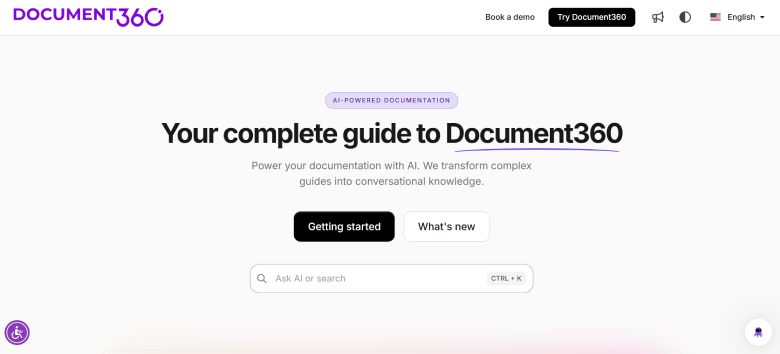
Document360 is an AI-first knowledge base platform from Kovai.co, a SaaS company. It launched in 2019 to address a clear gap: teams needed a dedicated place to create, manage, and publish documentation built for that purpose from the ground up.
The platform supports two different modes. Public-facing setups cover customer help centres, developer documentation, and API references. Private setups handle internal use cases, including SOPs, employee wikis, onboarding guides, and user manuals. Mixed access control means both can be managed from a single workspace, so a company running a public help center and a private internal wiki does not need two separate platforms.
Document360 serves teams across SaaS, IT and consulting, healthcare, financial services, education, manufacturing, retail, and non-profit. The platform is built around the idea that documentation is a product asset, not an admin task, and the feature set reflects that. Every layer of the platform, from authoring to publishing to analytics, is oriented around making documentation useful to the people who read it and maintainable for the teams who write it.
Three plans are available: Professional, Business, and Enterprise. A 14-day free trial requires no credit card.
Before we get into the features, here's a two-minute look at what Document360 actually does: https://www.youtube.com/watch?v=akCnl_UDqYo
Core Features of Document360
Portal and Site: Two Sides of the Platform
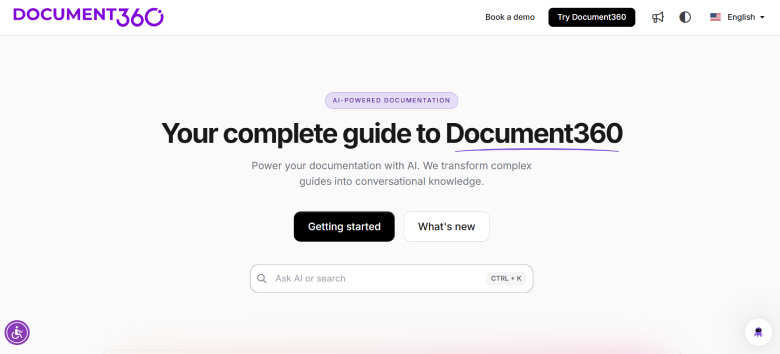
Document360 is built around two distinct environments. The Portal is where editors, writers, and reviewers build and manage content. The Site is the published knowledge base that customers or employees actually read.
This separation keeps back-end authoring clean while giving the front-end full customization controls. Writers work without distraction from reader-facing UI. Readers get a fast, polished experience built for finding answers quickly. The Portal also serves as the control center for workflows, analytics, permissions, and settings, so all administrative work happens in one place without bleeding into the published output.
Dual Editor: Markdown and WYSIWYG
Document360 ships with both a Markdown editor and a WYSIWYG editor inside the same workspace. Technical writers and developers can write in Markdown. Non-technical contributors can use the visual editor without touching formatting syntax. Both support real-time preview, inline media embedding, and proper code formatting.
When a team includes developers and support agents writing in the same knowledge base, having both options available in one workspace removes the coordination overhead.
Version Control and Workflows
Every article in Document360 carries a full revision history with side-by-side comparison, change attribution, and one-click rollback. The workflow builder supports multi-stage approval processes before any article is published. Article review reminders flag overdue content automatically. Role-based access control (RBAC) operates at the category level, so you can give a contractor write access to one section without touching permissions anywhere else.
For teams that care about documentation governance, this is the feature set that makes Document360 stand out from lighter tools.
SEO Customization
Each article has its own meta title, description, slug, and canonical URL. Eddy AI can auto-generate SEO metadata directly. Document360 also generates sitemaps and supports structured data, so knowledge base content is built to rank in search results.
For customer-facing help centers, this matters. A knowledge base that answers common questions but ranks poorly in search ends up doing only half the deflection work it could.
Site Customization and Branding
Document360 gives full control over the published site appearance: themes, colors, fonts, layout, custom CSS and JavaScript, and custom domain support. The in-app knowledge base widget lets customers search documentation without leaving your product, which keeps self-service accessible at the moment users need it most.
Analytics and Dashboard
The central analytics dashboard covers article performance, failed search queries, reader feedback, and link status in one place. Eddy AI analytics captures search behaviour over time and surfaces content gaps before they generate tickets.
Failed search tracking is a standout here. It produces a list of queries that returned no results, which is effectively a prioritized backlog of articles that need to be written. Rather than waiting for a surge in tickets to reveal a documentation gap, teams can spot it in the analytics and act before users reach the point of frustration. Reader feedback on individual articles and broken link monitoring round out what is a genuinely useful operational view of knowledge base health.
Security and Access: SSO and SCIM
Single Sign-On works with Okta, Entra ID, Google, Auth0, and other identity providers. SCIM provisioning, added in the March 2026 update, handles automated user lifecycle management directly from your identity provider. Changes made in your IdP sync to Document360 automatically. Private portal support keeps internal documentation behind authentication entirely.
Projects can now support up to five JWT configurations at once, each with its own client ID, login URL, logout URL, and secret token. This is useful for enterprise and multi-domain setups where different user groups authenticate differently. JWT and SSO configurations work together within the same project, and the login page adjusts automatically based on what is enabled.
Eddy AI: The Intelligence Layer
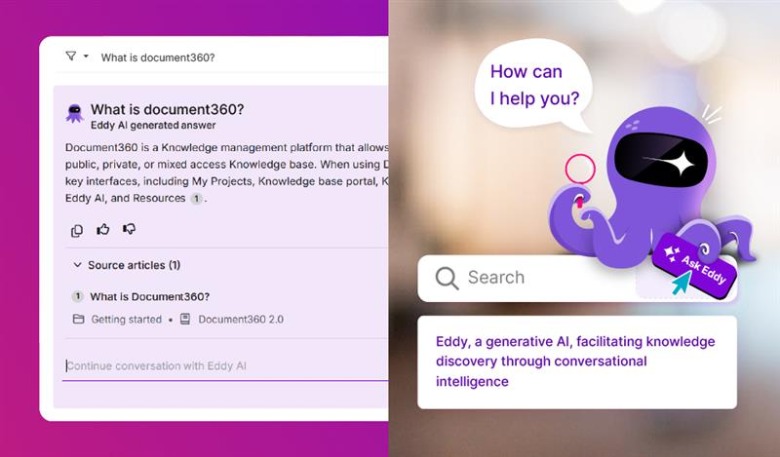
Eddy AI is Document360's built-in AI suite, covering both readers and writers.
For readers:
AI Search delivers contextual answers drawn from the knowledge base rather than a list of keyword matches. Readers get a direct response to their question rather than a page of links to sort through.
The AI Chatbot is a standalone module drawing from KB articles, website pages, uploaded files, and support ticket data from connected tools like Zendesk and Freshdesk. It is fully brandable and answers from your actual documentation and support history.
The Article Summarizer auto-generates a summary at the top of any article, giving readers the core takeaway before they decide whether to read further. Text to Audio converts articles into audio so users can listen rather than read.
For writers:
The AI writing agent converts prompts, raw notes, uploaded videos, or audio recordings into structured, publish-ready documentation. A subject matter expert can record a walkthrough, upload it, and receive a drafted article with headings and steps rather than starting from a blank page. Duplicate content detection flags overlapping content across the knowledge base before it accumulates into a maintenance problem. At scale, duplicate articles create inconsistency and confusion for readers. This feature surfaces the overlap before it compounds. The Glossary Generator automatically identifies and defines key terms across the documentation, which keeps terminology consistent across a large contributor team without requiring manual curation.
The MCP Server connects the knowledge base to AI tools including ChatGPT, Claude, Copilot, and Cursor IDE. Writers can search, draft, and update docs from inside their AI assistant without switching tabs. All access controls from Document360 apply throughout the connection.
The MCP server analytics dashboard gives project owners and admins visibility into how the connection is being used. From the Analytics section in the portal, you can track call volume, success and failure rates, active users, and which AI tools are connecting most. There is also a breakdown by operation type so you can see whether your team is primarily retrieving content or writing it.
Integrations
Document360 connects to more than 30 tools across helpdesk, live chat, analytics, and collaboration categories.
Zendesk and Freshdesk integrations let support agents search and share knowledge base articles without leaving their ticketing tool. Intercom and Drift surface relevant KB articles automatically during active conversations. Slack and Microsoft Teams allow teams to search and share articles inside existing channels.
Analytics connects to Google Analytics and Hotjar alongside Document360's own analytics layer.
The MCP Server connections to ChatGPT, Claude, Copilot, and Cursor IDE extend Document360 into the AI tools that developers and writers use daily. The platform sits inside your existing stack rather than requiring teams to build new habits around a separate destination.
Who Is Document360 Built For?
Customer Support Teams
Document360 reports that a well-maintained knowledge base can reduce support ticket volume by up to 50%. The AI Chatbot handles queries automatically before a ticket is filed. The Support Ticket Deflector surfaces relevant articles when a user begins typing a ticket description, catching the query before it reaches an agent. Eddy AI analytics identifies which content gaps are actively generating tickets, so improvements can be prioritized.
Technical Writers and Developer Teams
The Markdown editor, code blocks, API documentation support, and full version control give technical writing teams the tooling they need. The MCP Server integration lets developers draft and update documentation from inside Cursor IDE, Claude, or Copilot. Documentation becomes part of the development workflow rather than a separate task at the end of a sprint.
Product and Internal Teams
Private portals handle SOPs, user manuals, onboarding flows, runbooks, and internal wikis. Workflow approval and RBAC keep content accurate and access-controlled across large contributor groups. AI-assisted writing reduces the time between a product change and updated documentation.
Global Teams
Document360 supports auto-translation covering articles, navigation, decision trees, and chatbot content across more than 50 languages. One knowledge base serves multiple markets without requiring a separate localization workflow per language.
What Real Users Are Saying
Document360 holds a 4.7/5 rating across G2, Software Advice, and GetApp, sustained across more than 3,000 verified reviews. Industries represented in the G2 review base include computer software, telecommunications, IT and consulting, healthcare, financial services, education, and manufacturing.
Here is review from a real user:
"Our users having great experience through the Document 360 knowledge base."
It is an easy to use platform with WYSIWYG editors. We use Document 360 daily to update the Xponent knowledge base. Whenever we encounter any issues or require support for changes, we receive it as quickly as possible. Special thanks to the customer success team for that. It is really easy to integrate and use, you have all the different types of configurations available to use to implement and make the (CX) customer experience better. One important thing Document 360 is always ready to adopt new features that customer need. That is the main reason we migrated our knowledge from confluence to here.
Our customers are really happy by using the Eddy AI to find out the feature details. Soon, we are gonna enable the chatbot also. Analytics helps us to understand customers journey on the knowledge base.
Verdict
Document360 brings together the AI layer, governance tooling, and reader-facing output in one platform built specifically for knowledge management. Support teams, technical writers, and product teams at SMBs and mid-market SaaS companies will find the depth of features well matched to their documentation needs.
The version control, workflow approvals, and RBAC give documentation teams the governance structure that general-purpose tools skip. The Eddy AI suite handles both the authoring side and the reader experience without requiring separate tools for each. The MCP Server integration makes Document360 a working part of how AI-first teams manage documentation in 2026, connecting the knowledge base directly to the AI tools engineers and writers use every day.
The 4.7/5 rating consistency across G2, Software Advice, and GetApp reflects a product that has held up under real-world use across industries and team sizes. That kind of rating, sustained across thousands of independent reviews, carries more weight than any feature list.